
The first time we audited a Macon HVAC contractor’s site after a slow lead month, the owner pulled up the homepage and said the same thing every owner says when their site is underperforming: it looks fine. Clean. Professional. Modern.
The site was none of those things to a visitor on a phone in 92-degree heat trying to find a phone number. The hero image stretched four screens deep before the first usable content appeared. The contact form was buried under three sections of company history. The phone number, when we finally found it, sat in a footer below a section of partner logos that nobody had clicked since the site launched. The site was optimized for the owner’s pride. It was not optimized for the homeowner whose air conditioner had stopped working.
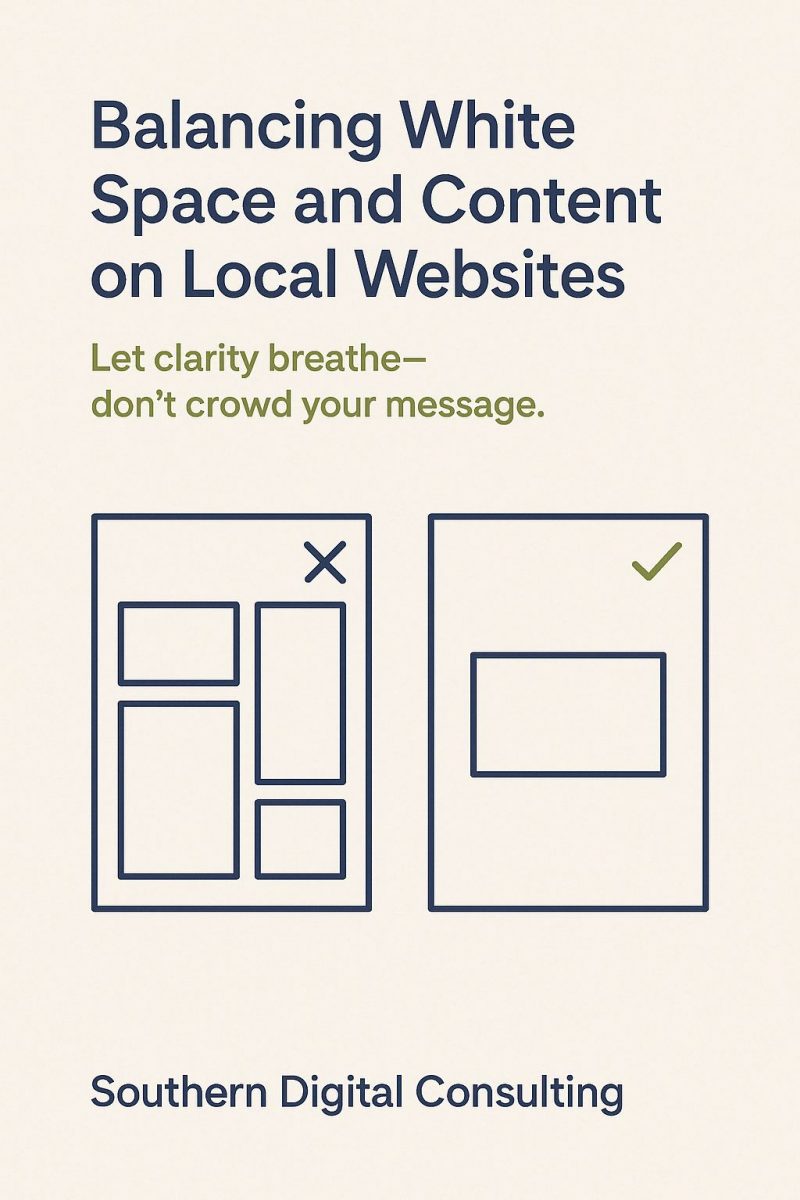
White space is the part of that conversation that owners and designers usually get wrong in opposite directions. Designers add white space because empty area looks elegant in mockups. Owners remove white space because empty area feels like wasted opportunity. Both decisions are made without checking what the visitor actually needs to do on the page.
What follows is the framework we use when auditing local service sites: how white space functions structurally, how mobile changes the rules, where over-spacing hurts conversion as often as under-spacing does, and the five-check audit that surfaces most spacing problems on a live site without requiring a rebuild.
What White Space Is Actually Doing
White space is not decoration. White space is the structural separation that lets the visitor read the page without working at it.
The functional definition is the empty area that makes the relationship between elements legible. A heading separated from the paragraph below it by sufficient space reads as a heading, not as the first line of the paragraph. A paragraph separated from the next paragraph by sufficient space reads as a single thought, not as a continuation of the previous one. A button surrounded by adequate space reads as the primary action, not as one option among several.
When the spacing fails, the page does not break in an obvious way. The visitor simply works harder, gets tired faster, decides to come back later, and never comes back. The drop in engagement does not show up as an error message. It shows up as a slow decline in time-on-page and conversion rate that the owner attributes to traffic quality, advertising channels, or seasonal factors.
For a service business in Macon or anywhere else, the practical implication is that white space decisions belong in the same category as load speed, mobile responsiveness, and form architecture. They affect whether the visitor completes the action the page was built to drive. The companion decisions on typography in local web engagement and microcopy that boosts engagement in Macon sit in the same layer and reinforce each other when the spacing is right.
The Mobile-First Spacing Reality
A service business website serves visitors who are mostly on phones, which changes the spacing decisions in ways that desktop-first design does not anticipate.
The first reality is the tap target size. Apple’s Human Interface Guidelines recommend a minimum of 44×44 points for touch targets, and the WCAG 2.5.5 guideline aligns at 44×44 pixels. Buttons that meet this standard need adequate space around them so the visitor does not accidentally tap an adjacent element. Buttons that are smaller, or buttons placed too close together, produce mistaps that get read as friction.
The second reality is line height. On a phone screen, body copy that uses 1.2 line height feels cramped, while line height of 1.5 to 1.7 reads cleanly across the screen sizes most visitors use. Line spacing on desktop can run tighter and still read well, which is why sites that look readable in design review often feel cramped on the actual device the visitor uses.
The third reality is the reading width. Long lines force the eye to track across the screen, and the eye loses the next line on the way back. The optimal reading width for body copy sits in the 50 to 75 character range, which on a phone usually means the body content uses the full width of the screen with appropriate horizontal padding, and on a desktop usually means the body content sits inside a centered column rather than stretching to the full screen width.
The fourth reality is the breathing room between sections. On a phone, sections that flow into each other without clear separation read as a single overwhelming block. Sufficient padding between sections, particularly above and below H2 headings, lets the visitor process one idea before moving to the next.
These four decisions, made consistently across the site, produce the spacing that feels right rather than the spacing that looks impressive in a desktop mockup.
When White Space Hurts Conversion
The opposite failure mode is real and worth addressing because most articles about white space treat it as an unconditional good.
Over-spacing pushes important content below the fold on mobile. A hero section with 200 pixels of vertical padding above and below the headline, plus a large stretched image, plus another 200 pixels of padding before the first H2, can mean the visitor scrolls four times before reaching any content that helps them decide. Visitors who cannot find the information they came for in the first scroll often leave before they reach the content that would have served them.
Over-spaced contact forms feel less like forms and more like distance the visitor has to cross. A form with massive padding around each field reads as a longer commitment than a form with reasonable spacing, even when both forms ask for the same information. The visitor making a quick decision under stress reads excessive form spacing as effort, and effort delays action.
Over-spaced CTAs lose the eye. A button surrounded by enough white space to be visually isolated converts well. A button surrounded by so much white space that it feels disconnected from the content above and below it can read as an afterthought. The relationship between the content that prompted the action and the button that captures the action depends on the proximity making sense.
Over-spaced navigation menus on mobile force the visitor to scroll through the menu itself. Hamburger menus that expand to fill the screen with massive padding between items feel less like navigation and more like a wall.
The pattern across these failures is that white space works as separation between related elements, and stops working when the separation becomes a barrier.
How to Evaluate Spacing on an Existing Site
Most spacing problems are catchable in a fifteen-minute review of the live site, and the review does not require design tools or expertise.
Open the site on the actual phone the audience uses, not the desktop browser. Time how long it takes to find the primary action from the homepage. If the answer is more than ten seconds, the spacing is probably part of the problem.
Read the body copy on a phone in normal lighting. If the lines feel cramped or the eye drifts, the line height needs adjustment. If the lines feel separated to the point that the paragraph stops feeling like a paragraph, the line height has gone too far the other direction.
Tap the primary CTA. Then tap a secondary element near it. If you can tap each independently without strain, the spacing is correct. If your thumb keeps catching the wrong element, the tap targets are too close.
Scroll through the homepage at the speed the visitor would actually scroll. If sections blur together without clear breaks, the section padding needs work. If the page feels like an empty document with content scattered across it, the padding has gone too far the other way.
Open the contact form on the phone. Try to complete it without strain. The form should feel like a finite set of fields you can finish in under a minute. If the form feels like a chore before you have entered any information, the spacing is contributing to the impression.
These five checks identify most of the spacing problems on a live service business site. The fixes are usually small adjustments to padding, margin, line height, and font size, applied consistently across the templates that drive the most traffic.
The Site That Works for the Visitor
The visitor on a Macon homeowner’s couch on a Saturday afternoon, deciding which contractor to call to fix the air conditioner that stopped working an hour ago, is the visitor your spacing decisions need to serve.
That visitor does not care about the design philosophy of the site. That visitor cares about finding the phone number, reading enough about the company to feel safe calling it, and completing the call without friction. White space supports that visitor when it lets them read clearly, find the action quickly, and complete the action without strain.
For a service business in Macon, Warner Robins, Atlanta, or anywhere else, the spacing decisions on the live site are usually correctable without a complete redesign. The audit is fast. The fixes are specific. The conversion improvement is measurable in the weeks following the changes.
Frequently Asked Questions
Does white space affect PageSpeed scores or Core Web Vitals?
Indirectly. The padding values themselves do not affect load metrics, but the design decisions that drive heavy padding (large hero images, full-bleed video backgrounds, animation libraries that produce visual breathing room) often pull down LCP and CLS scores. Sites that achieve their spacing through structure rather than oversized assets tend to pass Core Web Vitals more easily than sites that achieve spacing through heavy media.
Should I A/B test spacing changes before site-wide deployment?
For changes that affect above-the-fold content positioning, the primary CTA prominence, or the contact form layout, A/B testing for two to four weeks produces the data needed to commit. For changes that only affect line height or section padding without moving conversion-critical elements, direct deployment is usually safe and the engagement data over the following month confirms whether the change helped.
How does spacing interact with Google Quality Score on paid landing pages?
Quality Score weighs landing page experience, which includes mobile usability and load speed. Cramped spacing on mobile reduces usability scores. Excessive padding that pushes the primary action below the fold reduces conversion, which feeds back into the engagement signal Quality Score reads. The spacing target for paid landing pages is the same as for organic pages: the primary action should be reachable on mobile within the first scroll.
My designer says my site is already optimized. How do I verify independently?
Run the five-check audit described above on your own phone. The audit does not require design tools or design vocabulary, only the ability to time how long it takes to find the primary action, scroll the homepage, and complete the contact form. If any of the five checks fails, the spacing has friction the designer’s review missed. The audit is also useful as a second opinion before approving a redesign proposal that does not address the friction your current site has.
Can I fix spacing without rebuilding the whole site?
In most cases, yes. Spacing fixes usually involve adjusting padding, margin, line height, and font size values in the CSS for the templates that drive the most traffic. The work is measured in hours rather than weeks for most service business sites, and the conversion improvement shows up in the engagement metrics within the first month after the fixes ship. A full rebuild is appropriate when the spacing issues are symptoms of a deeper structural problem, but the spacing fix usually resolves the spacing issue on its own.
Book a Spacing Audit for Your Macon Service Business Site
Book a 30-minute spacing audit for your Macon service business website. Southern Digital Consulting is a web design company in Macon that builds and audits sites for service businesses across Middle Georgia and metro Atlanta. We run the five-check audit described above (load + thumb + tap + scroll + form) on the actual phone your audience uses, and we return a written list of the specific friction points and the order to fix them in. If your spacing is working, the audit confirms it. If it is not, the list is yours whether you fix it with us, with your current agency, or in-house.
Phone: (478) 200-2604. The first call is no cost.
About the Author
This article was written by the content team at Southern Digital Consulting and reviewed by Nick Rizkalla, Co-Founder, with 14 years of digital strategy experience across the Macon, Warner Robins, and metro Atlanta markets. SDC builds websites and runs SEO programs for service businesses across Georgia. For the broader website evaluation framework that spacing decisions sit inside, see our definitive guide to website design.